




Yes, to see your affiliate commission received from clients, just follow the steps below:
- Log in to your client portal

2. Select ‘Dashboard’ from the partnership menu

3. Set the time frame you want to see transactions for, and click "Apply"

4. Click on "Breakdown" and choose "Total Breakdown"
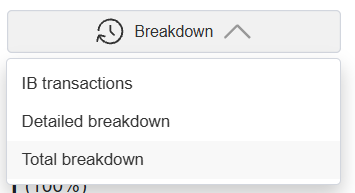
5. The details will be shown in "Total Commission Breakdown". Click "Export to CSV"

Alternatively, if you want to see the trades for a specific client:
- Log in to your client portal

2. Select ‘Dashboard’ from the partnership menu
3. Set the time frame you want to see transactions for, and click "Apply"

4. Click on "Breakdown" and choose "Detailed Breakdown"

5. The details will be shown in "Detailed Commission Breakdown". You can filter accounts or referral names (clients' names) based on specific criteria. Filters are processed by column

6. You can also download the data by clicking "Export to CSV"


